

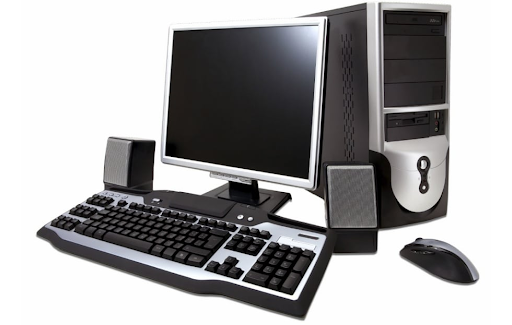
Businesses, institutions, and organisations regularly replace desktop computers as technology requirements change. Instead of leaving older equipment unused, bulk resale offers a practical way to recover value.
For organisations searching for a bulk computer buyer in UAE, understanding the resale process can make large-scale equipment disposal more organised. The value of used desktops can depend on configuration, working condition, age, quantity, storage, memory, and overall demand. Proper sorting and documentation can also simplify evaluation. Beyond financial recovery, responsible handling of unwanted computers can reduce unnecessary waste and encourage the reuse of functioning technology. A structured approach lets businesses clear storage areas while giving usable equipment a second lifecycle.
Assessing Desktop Inventory Before Bulk Resale
A clear understanding of available equipment creates a stronger starting point for bulk computer resale and helps organisations organise their inventory efficiently.
1. Checking Computer Condition
Assess desktop computers for working condition, physical damage, missing components, and overall functionality before resale. Identifying systems that start properly and operate normally can simplify the evaluation process. Also, separate non-working units from functional equipment.
2. Recording Technical Specifications
Processor type, RAM, storage capacity, operating system, graphics capability, and other specifications can influence the potential value of used desktops. Creating an inventory with these details helps buyers understand the equipment more clearly and makes bulk evaluation more straightforward.
3. Separating Different Equipment Types
Large inventories may contain standard desktops, workstations, compact systems, monitors, peripherals, and other hardware. Separating equipment into categories improves organisation and makes it easier to identify items suitable for resale, reuse, refurbishment, or responsible recycling.
4. Removing Business Data
Address data security before computers leave an organisation. Back up important files, remove accounts, and run appropriate data-erasure procedures on storage devices. Protecting confidential information is essential when preparing business computers for external handling.
5. Gathering Supporting Information
Purchase records, component details, maintenance history, upgrade information, and original accessories may provide useful context during evaluation. While not every item will have complete documentation, retaining available information can help establish the equipment’s specifications and condition more accurately.
Creating Better Value From Retired Business Computers
Retired desktops do not necessarily become worthless when organisations upgrade their technology. Their remaining value depends on condition, specifications, quantity, and reuse potential.
A computer that no longer meets one business’s performance requirements may still suit another user with simpler needs. Office desktops, for example, can remain useful for administrative tasks, basic productivity, education, or other less demanding applications. This creates opportunities for functional equipment to continue serving a purpose rather than immediately entering the waste stream.
For organisations managing substantial inventories, working with a bulk computer buyer UAE can simplify the process of evaluating and moving large quantities of equipment. Bulk transactions reduce the effort of arranging individual sales for every computer while helping organisations manage storage more efficiently.
Preparing Computers For A Smoother Evaluation Process
Preparation can make bulk computer transactions easier by providing buyers with clear information about the equipment being offered.
1. Organising Equipment By Condition
Grouping computers by working condition, age, configuration, and visible condition creates a clearer inventory. Separate functional systems from damaged or incomplete units, and assess each category based on its potential resale or recycling route.
2. Cleaning Exterior Surfaces
Dust and accumulated dirt can affect the presentation of used equipment. Basic external cleaning can make computers easier to inspect and photograph. However, cleaning should be performed carefully without damaging ports, internal components, labels, or other identifying information.
3. Listing Available Accessories
Power cables, keyboards, mice, monitors, docking equipment, and other accessories can add practical value when included with compatible systems. Recording which accessories are available helps create a more accurate inventory and reduces confusion when equipment is collected or evaluated.
4. Maintaining Accurate Quantities
Large-scale computer disposal can involve dozens or hundreds of units. Maintaining accurate counts helps organisations track what is being offered and what has already been collected. Inventory records can also support internal asset management and simplify communication with prospective buyers.
5. Identifying Upgrade History
Some older computers may have received RAM, storage, graphics, or other upgrades during their operational life. Recording these changes can provide useful information during assessment because the current configuration may differ significantly from the original specification.
Understanding The Economics Of Bulk Computer Resale
Bulk resale can offer advantages beyond simply clearing unused equipment from storage. Organisations may recover residual value while reducing the administrative burden associated with managing outdated hardware.
Individual sales often require separate listings, communications, negotiations, testing, packaging, and collection arrangements. Managing these activities across a large inventory can consume considerable time. A bulk transaction can consolidate several steps into a more manageable process.
The potential value of a computer depends on several factors. Newer processors, higher memory capacity, larger storage, better graphics capabilities, and stronger physical condition can influence demand. Quantity may also affect the commercial attractiveness of an inventory.
However, businesses should maintain realistic expectations. Not every desktop will have strong resale potential, particularly where equipment is significantly outdated, damaged, incomplete, or no longer practical to use. Separating resale-ready systems from equipment requiring responsible recycling can create a more efficient overall strategy.
Managing Large Computer Inventories More Efficiently
Large-scale equipment replacement can create logistical challenges, particularly when computers are distributed across offices, departments, branches, or storage locations.
Centralising inventory information can help organisations determine the total quantity available and identify differences between equipment groups. Collection planning can then be coordinated according to location, accessibility, equipment volume, and internal schedules.
Clear communication is also important. Internal teams should understand which computers are being retired, when collection is expected, and what steps are required before equipment leaves the organisation. This can reduce the possibility of active devices being removed accidentally or important information remaining on storage drives.
A structured process can make technology retirement less disruptive while helping businesses maintain stronger control over their assets.
Conclusion
Bulk computer resale helps organisations manage retired technology while supporting structured inventory handling, data protection, condition assessment, and responsible equipment disposal. A well-planned process also helps businesses identify suitable options for recovering value from technology that is no longer required.
For businesses seeking a wholesale bulk normal desktop buyer, E-Waste IT Recycling provides technology management and e-waste recycling services for unwanted computer equipment and related IT assets. Organisations can review the available services and select an approach that matches their equipment inventory, data-handling requirements, and end-of-life management needs.
 Sally
Sally